
Prerequisites
Locations are in beta and enabled per organization. If you don’t see the Locations settings, reach out to your Overflow contact to have them turned on for your account.How Locations work
A location is the campus or site a gift is directed to. Every organization has one default location that Overflow creates automatically. Once you add more locations, you can promote any of them to be the default. Locations and funds are independent. A gift can go to your Dallas campus (location) for Missions (fund), so you can share a single fund across every campus without recreating it.Add and manage locations
Locations live in Settings > Organization > Locations.1
Add a location
Open Settings > Organization > Locations and select Add location. Enter the location name and address, then choose whether it should be visible to donors. Save to create it.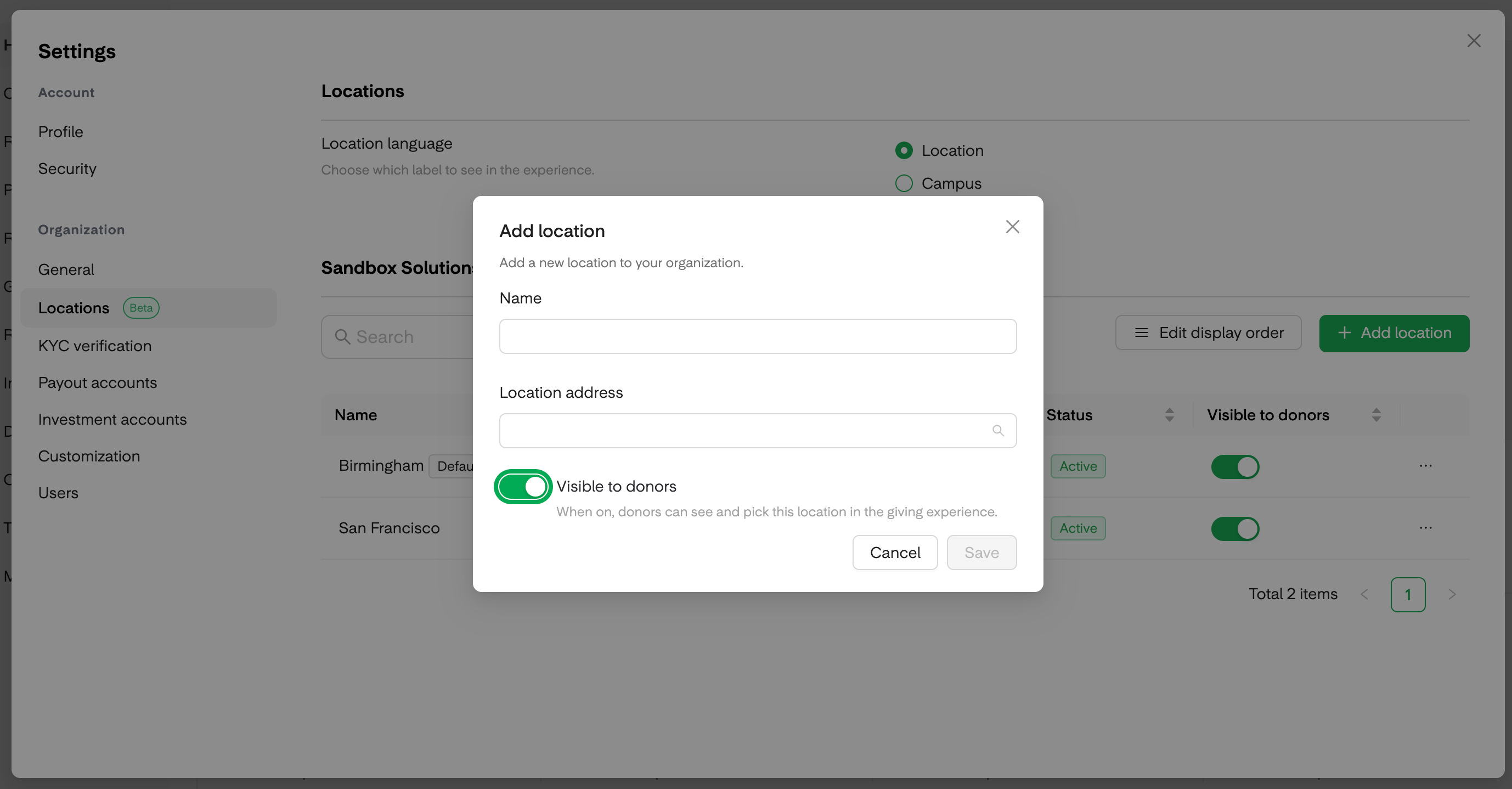
2
Reorder how locations appear to donors
Select Edit display order and drag locations into the order you want donors to see them in the giving flow. Save the order when you’re done.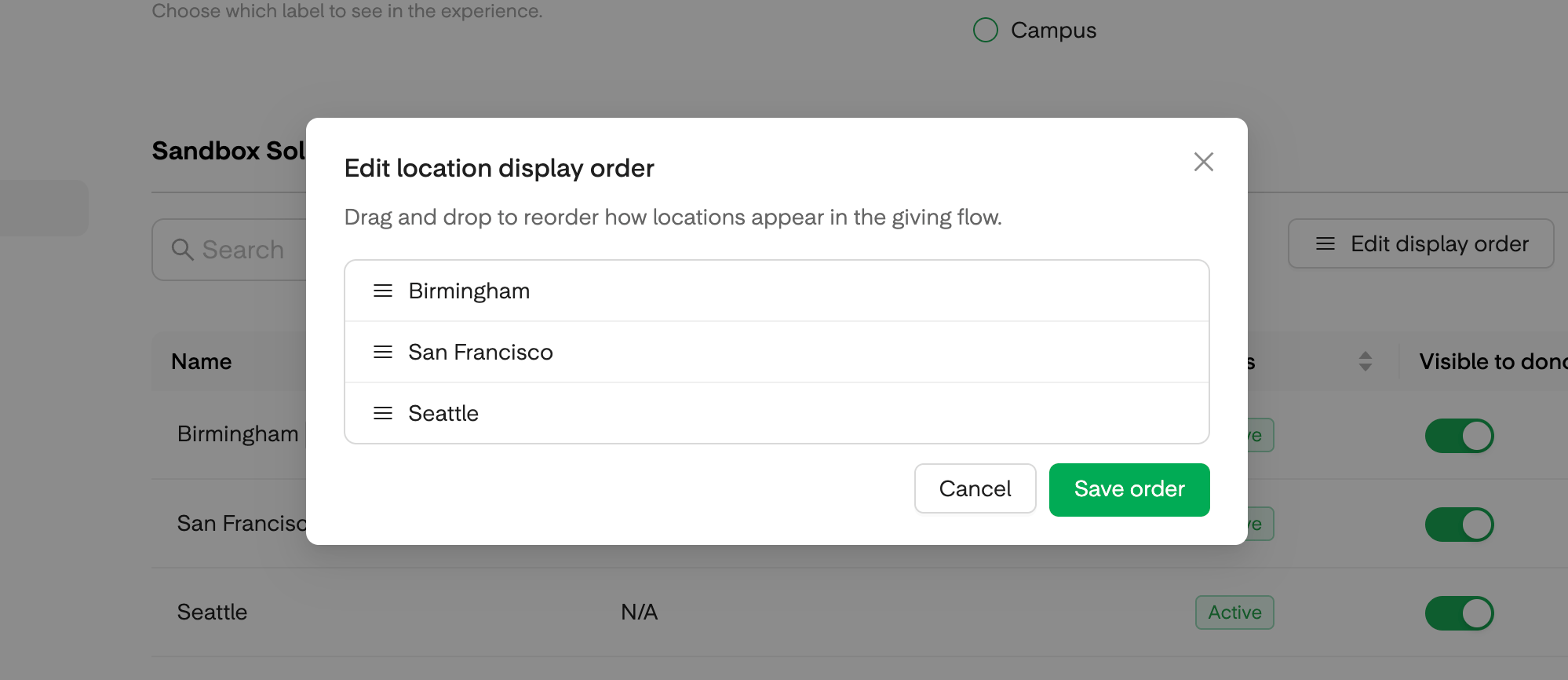
3
Set a default location
From the row actions on any active location, choose Set as default. The default location acts as the fallback whenever a gift arrives without a specific location attached.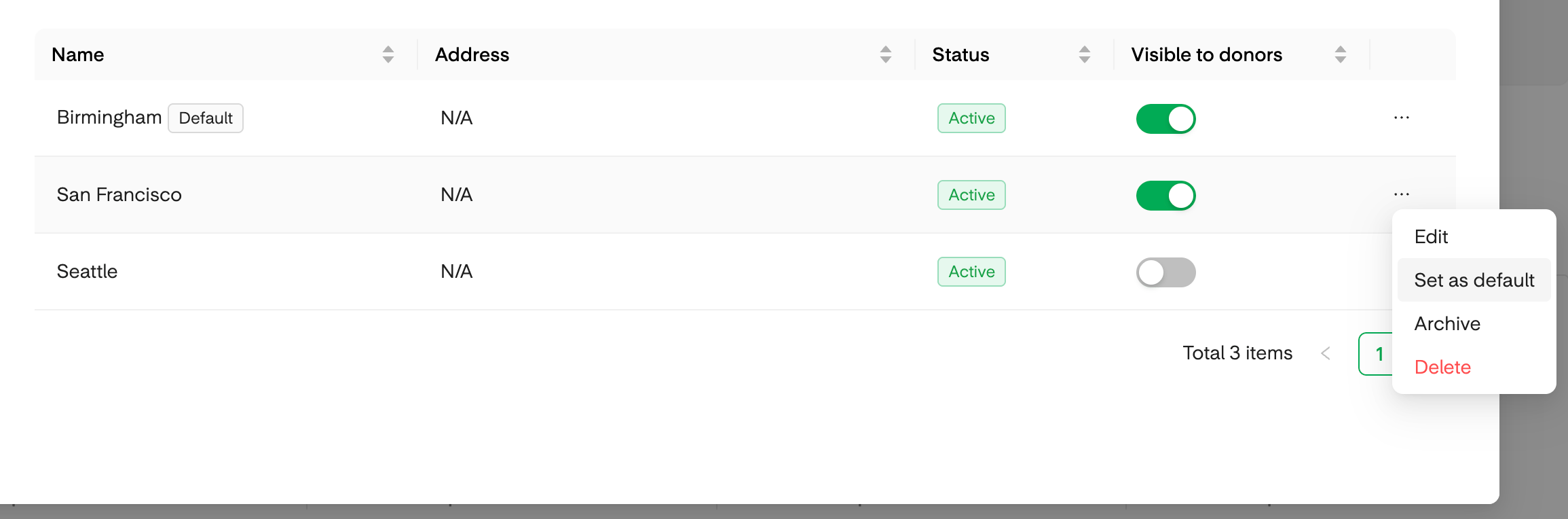
4
Archive a location you no longer use
From the row actions, choose Archive. Archiving removes the location from use while preserving all past giving history in your reports. The default location cannot be archived; promote a different location to default first if you need to retire the current one.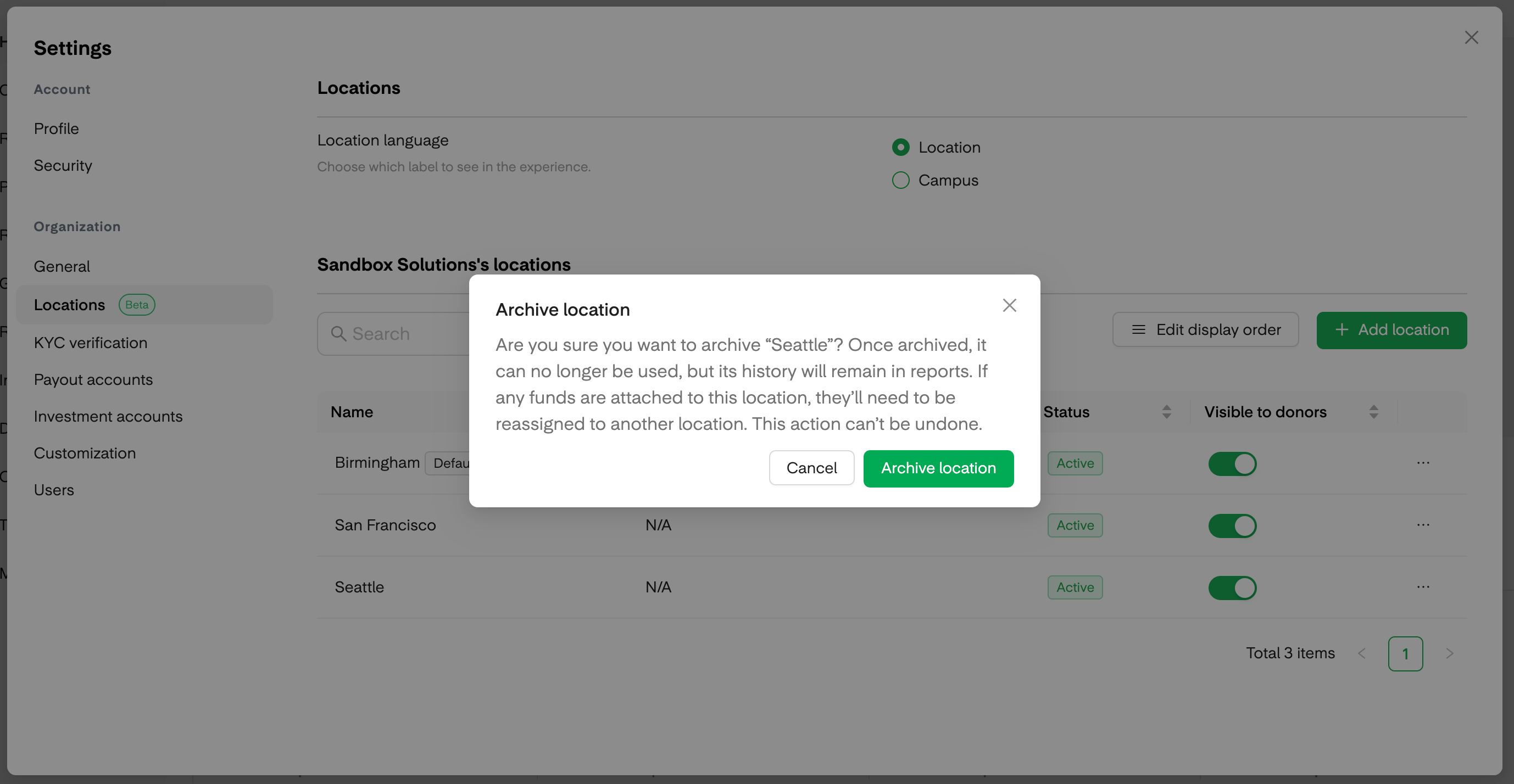
How locations appear to donors
In the giving flow, donors pick a location first, and then the funds available for that location appear.- If several locations are visible, donors choose one.
- If exactly one location is visible, it is selected automatically.
- If no locations are visible, the location step is skipped and the gift is attached to the default location.
Rename the donor-facing label
If your team uses a different word for locations (like “Campus”), you can rename the donor-facing label in your customization settings. The change appears everywhere donors see the label, so you can match the language your community already uses.Frequently asked questions
Do I need locations if we only have one site?
Do I need locations if we only have one site?
No. Every organization has a default location that works quietly in the background. Single-site organizations don’t need to add or configure anything.
What happens to a gift when it comes in without a location?
What happens to a gift when it comes in without a location?
It goes to your default location. This applies to text-to-give, round-ups, and any other path where a location isn’t picked directly.
Can I archive our default location?
Can I archive our default location?
Not directly. Promote a different location to default first, then archive the old one.
Will archiving a location affect past reports?
Will archiving a location affect past reports?
No. Archiving removes a location from active use but keeps all historical giving intact in your reports.